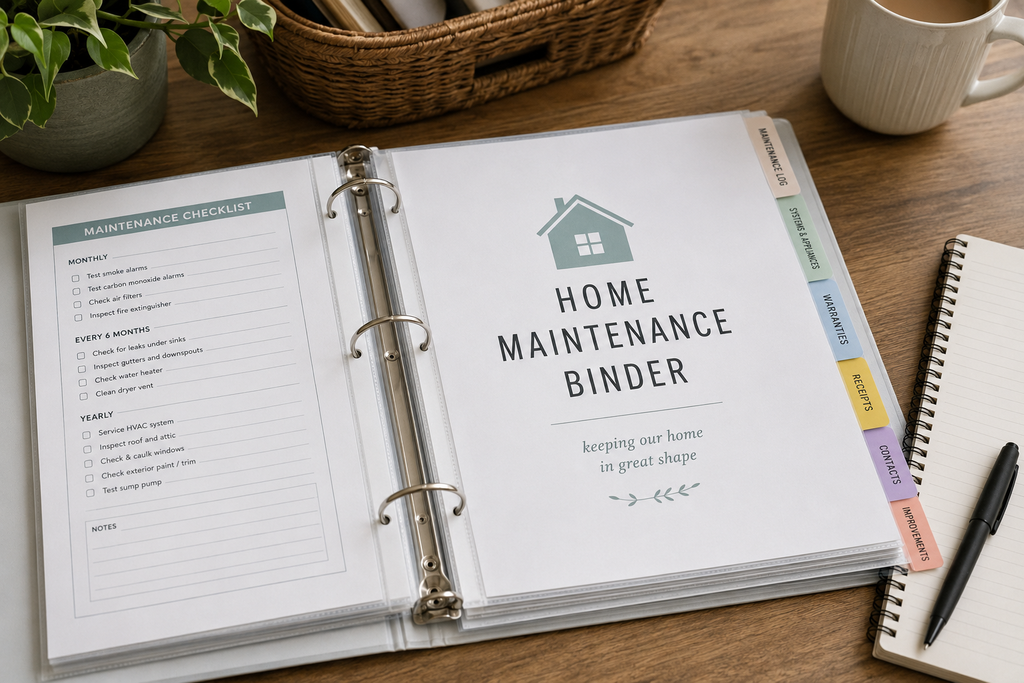
Homeownership produces an odd collection of information: service invoices, appliance manuals, warranties, paint formulas, receipts, and photographs. Months later, the document you need is rarely where you expect it to be.
A home maintenance binder gives those details one dependable home. It should tell you what your property needs, what has already been done, and where to find the information required for the next repair. It does not need to manage your meals, finances, school schedules, or entire family life.
The best system is the one you can still understand and update a year from now. Here is how to build a focused version with five useful sections.
What Is a Home Maintenance Binder?
A home maintenance binder is a working record of the appliances, systems, service visits, repairs, warranties, and recurring care connected to your property. Think of it as a simple operating manual for the home.
It can answer practical questions quickly: When was the air conditioner last serviced? Is the water heater still under warranty? Who repaired the garage door? Has that small ceiling stain changed?
That narrow purpose matters. Many home binders become complicated because they include recipes, budgets, travel plans, and other household administration. Keep this one about the building, its equipment, and the work needed to care for them. Finding a repair record should never require searching through unrelated paperwork.
Physical, Digital, or Both?
A physical binder is easy to browse, write in, and hand to a contractor. It also remains available when the internet is down. However, paper can be lost or damaged, and printed manuals quickly consume space.
A digital folder is searchable and better suited to photographs, scanned receipts, and long PDF manuals. It can also be copied for backup. Its weakness is familiar: poorly named files can turn a digital folder into another junk drawer.
For most homeowners, a hybrid system offers the best balance. Keep quick-reference pages, a maintenance log, and essential contacts on paper. Store scans, photographs, invoices, and manuals digitally. Give the paper tabs and digital folders identical names so they behave like one system.
Keep the Setup Simple
Start with a one- or one-and-a-half-inch ring binder, five tab dividers, several sheet protectors, and a pocket for loose documents. You do not need elaborate printables before the binder becomes useful.
Create a main digital folder at the same time. If you may manage more than one property, use the address in the folder name. Then create five matching sections:
- Maintenance Calendar
- Maintenance Log
- Appliances & Systems
- Repairs & Warranties
- Emergency & Service Contacts
Five sections give almost every maintenance record a logical place without creating a maze of empty categories.
Section 1: Maintenance Calendar
The calendar is the forward-looking part of the binder. It shows what may need attention and when.
Avoid copying every task from a generic schedule. Homes vary by climate, construction, equipment, landscaping, and water source. A home in Florida does not need the same routine as one in Minnesota.
Build the calendar from manufacturer instructions, warranty terms, service records, inspection findings, and recommendations from qualified local professionals. Record the task, expected month or interval, and the source of that timing.
If you have not verified an interval, mark it “to confirm” rather than turning an assumption into a schedule. The calendar should help you anticipate work, not make you responsible for irrelevant tasks.
Section 2: Maintenance Log
The log records what actually happened. This is often more useful than a stack of receipts because it lets you see the home’s history at a glance.
Use one running table:
| Date | Area or system | What was noticed or done | Provider or product | Cost | Follow-up |
|---|---|---|---|---|---|
| March 8, 2026 | Guest bathroom | Replaced leaking faucet cartridge | Brand and part number | $24 | Recheck under sink in one week |
| April 19, 2026 | Air conditioning | Annual service completed | Company and invoice number | $145 | Record next recommended service |
| May 2, 2026 | South bedroom | Photographed small ceiling stain | Digital photo filename | — | Compare after next heavy rain |
The follow-up column prevents an observation from becoming a forgotten note. Photographs can help compare a visible crack, stain, or corrosion spot over time, but they are records—not diagnoses. If a condition may affect safety or allow damage to continue, arrange an appropriate professional assessment.
Section 3: Appliances and Home Systems
Create a short record for every major item you maintain, such as HVAC equipment, the water heater, kitchen appliances, a sump pump, irrigation controls, or a garage door opener.
For each item, record:
- its name and location;
- brand, model, and serial number;
- purchase or installation date, if known;
- confirmed filter, battery, or replacement-part specifications;
- warranty provider and expiration date;
- most recent service date;
- location of the manual, receipt, and related files.
A photograph of the manufacturer label is useful, but type the details into the record so they remain searchable. If a date or specification is unknown, say so. An honest blank is safer than an invented answer.
Instead of printing a long appliance manual, save the PDF digitally and keep a one-page summary in the binder. Download online-only manuals rather than relying entirely on links that may change.
Section 4: Repairs and Warranties
The maintenance log gives the summary; this section holds supporting invoices, estimates, proof of purchase, warranty terms, service reports, and relevant photographs. Use filenames that explain themselves.
A name such as 2026-04-19_HVAC_annual-service_invoice.pdf is far more useful than scan0047.pdf. Beginning with the date in year-month-day order also keeps files chronological when sorted.
Keep enough detail to understand what was repaired. “Plumbing work” says little two years later; record the location, diagnosis, part or material, and completed work. Warranty coverage may depend on registration, installation, maintenance, or authorized service, so use the written terms when making a claim. Scan important thermal-paper receipts before they fade.
Section 5: Emergency and Service Contacts
This section should be short enough to scan under pressure. Note the locations of the main water shutoff and electrical service panel, using a plain description or labeled photograph. Add other property-specific controls only when they apply.
Locating a control does not mean it is safe to operate in every situation. Follow the utility’s or manufacturer’s instructions. Some gas, electrical, fire, or flooding emergencies require leaving and calling for help, not attempting a repair.
Include utility emergency numbers, your insurance claims contact, and professionals you have verified or used. Record each provider’s trade, company, phone number, service date, and work. A few known contacts are more useful than a long list copied from search results.
Keep this tab near the front and make sure other adults in the home know where the binder is stored.
What Should Not Go in the Binder?
A maintenance binder is not a safe. Do not leave Social Security numbers, passwords, banking details, passport originals, or other sensitive information in an accessible binder. Original documents that would be difficult to replace also need storage appropriate to their importance and the risks in your area.
The binder can note that a relevant document is stored securely without revealing passwords or access codes. Apply the same caution digitally: use secure accounts, enable multifactor authentication when available, and keep a second copy of irreplaceable files. One folder on one device is not a reliable archive.
Make the Digital System Easy to Search
Mirror the five paper tabs exactly and use one naming rule. A practical filename contains the date, subject, and document type:
2026-06-14_water-heater_service-invoice.pdf
Rename vague files such as “receipt” or “IMG_2841” when you save them. The folder should make sense without opening every document or depending on links that may change.
Keep the Binder Current Without Creating Another Chore
Give incoming paperwork a temporary home in the front pocket. Once a month, file it, update the log, record the next relevant date, and scan anything that needs a digital copy.
When replacing an appliance, archive the old record and create a new current page so two model numbers or warranty dates do not compete for attention.
Review the binder once a year. Confirm contacts, equipment information, warranties, calendar entries, and access to the digital backup.
These systems usually fail because of friction, not a missing category. Too many sections and elaborate formatting make updates easy to postpone. An accurate handwritten entry is better than a beautiful template that stays blank.
Frequently Asked Questions
What should be in a home maintenance binder?
Start with a maintenance calendar, completed-work log, appliance and system information, repair and warranty records, and emergency or service contacts. Add another section only when your property repeatedly produces information that does not fit those five.
Should I use a physical or digital binder?
A hybrid system is usually the most practical. Paper works well for quick reference and updates, while digital storage handles large manuals, photos, searchable documents, and backup copies.
Where should I store and update the binder?
Choose a dry, accessible place known to the adults in the home, away from leaks, pests, and extreme temperatures. Record major repairs when they happen, file loose papers monthly, and review the complete system once a year. Store sensitive originals separately.
Build a Record, Not a Paperwork Collection
A useful home maintenance binder reduces uncertainty. When equipment fails, a contractor asks about earlier work, or a small problem appears to be changing, you have a reliable place to start.
Begin with five sections, record only what applies to your property, and label unverified information honestly. Keep the system current with a short monthly reset rather than waiting for paperwork to become a weekend project.
The binder need not be complete before it becomes valuable. The first accurate appliance record or repair entry already gives you a clearer history and a better basis for the next decision.